Here’s a guide on how to handle duplicate patient records effectively.
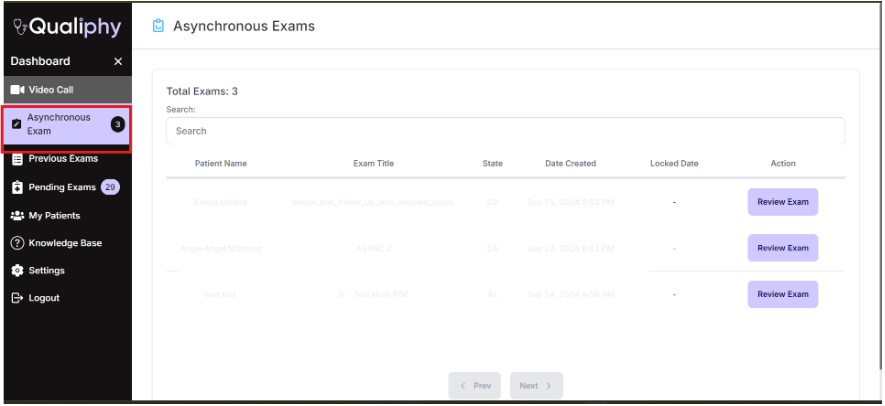
- Navigate to the “Asynchronous Exam” dashboard field.
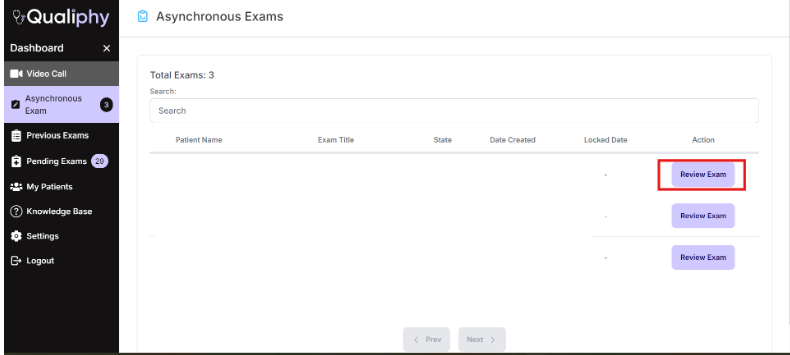
- Press “Review Exam” for the patient profile you wish to edit.
- When there is a duplicate record, a note saying "Potential Duplicate Found" is shown.
- Click on Merge/Edit Duplicate
- A list of potential duplicate profile will populate
- Select which profiles to merge , select which information to replace the above information with by checking the appropriate boxes.
- Make sure to press on Confirm Merge. Once completed and you will receive a notification that the “Patient Profiles Merged Successfully”